
Inventory management software for small business
Know what you have. Know where it is. Sell with confidence.
T4 Inventory keeps stock, purchasing and sales in the same place, so your team works from the same numbers on the web or on a phone.
No credit card required to create your account.
What T4 Inventory gives you out of the box
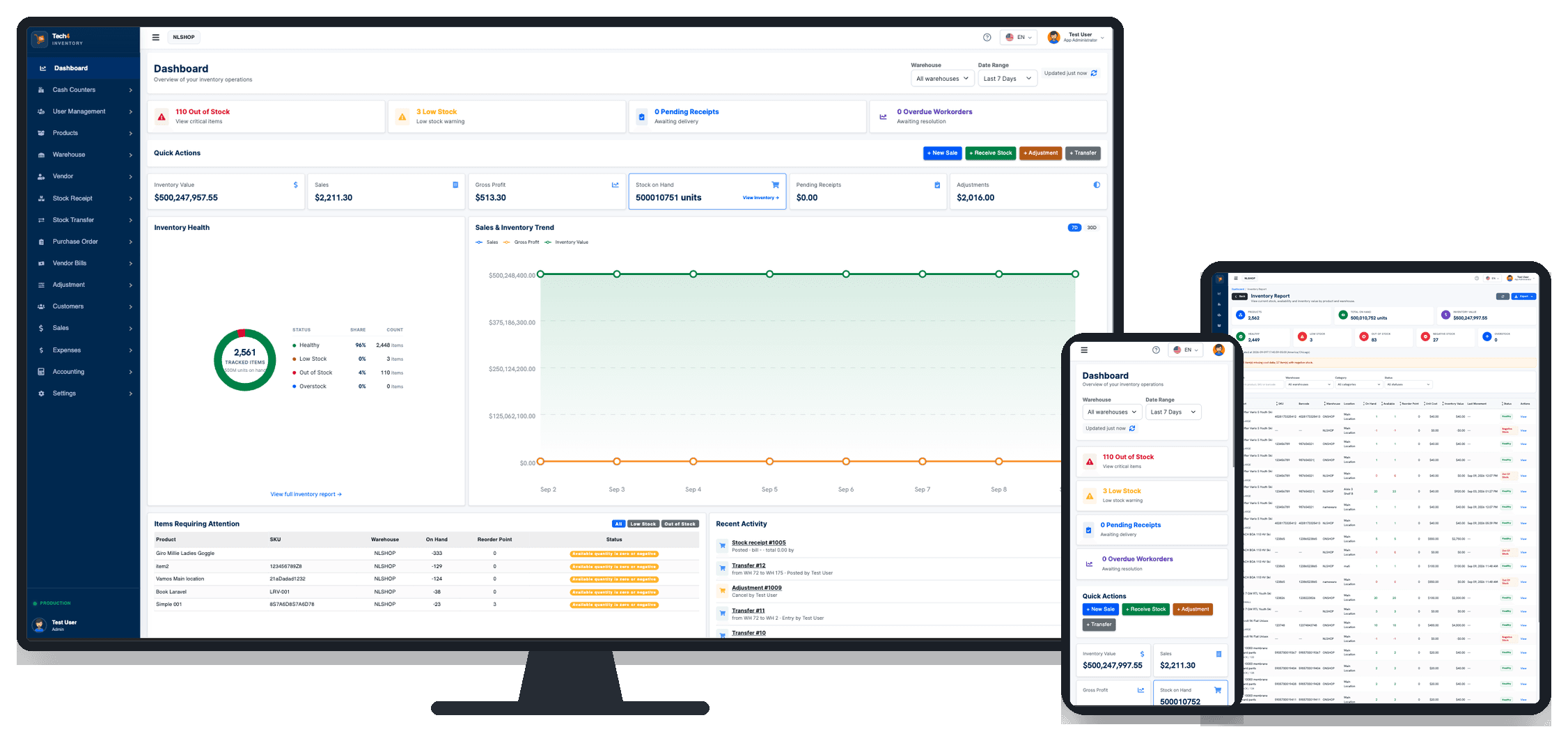
Desktop, tablet and phone
The same account opens in any modern browser. Nothing to install.
Barcode-ready workflows
Scan or search a part number, and generate barcodes for items that do not have one.
Multiple warehouses and locations
Stock is tracked per warehouse and per location, not as one company-wide number.
Inventory should not be a guessing game.
Most stock problems are not caused by a lack of effort. They are caused by inventory tracking that lives in different places.
The count on the shelf does not match the count on the screen.
Adjustments and transfers are recorded as movements, so every change to stock keeps a reason, a date and an author.
Nobody is sure which warehouse or shelf the item is on.
Stock is held per warehouse and per location, so a search returns where the item is, not only how many exist.
You reorder after a customer has already walked away.
The dashboard flags low stock and out of stock items, and purchase orders start from that same list.
Stock moves and nobody can explain how.
Stock receipts, adjustments and transfers keep a history you can open again later.
Sales, purchasing and the warehouse each keep their own file.
Invoices, payments, vendor bills and stock all belong to the same account.
Built around how stock actually moves
Barcode inventory management, multi-location stock, purchasing and sales. Everything below is available in the product today.
Inventory by warehouse and location
Create the warehouses and locations you really use, and see availability per item in each one instead of a single company-wide total.
Barcode-ready workflows
Item fields accept a scanned or typed part number while you receive, adjust or sell. A barcode generator covers items that arrive without one.
Receive and adjust stock
Record stock receipts against vendor bills, correct counts with adjustments, and move goods between warehouses with transfers. Each movement keeps its history.
Products and variants
Handle a simple product, or a product with variants such as colour and size, each with its own SKU. Categories, brands, part numbers and units of measure are built in.
Sales and purchasing
Estimates, invoices, payments and customers on one side. Purchase orders, vendors and vendor bills on the other. Both move the same stock.
Dashboard and reports
Review sales, payments received, adjustments and stock receipts for any date range, and open an inventory report that shows low stock and out of stock items.
Three steps to a stock count you can trust
Create your account
Sign up with your business details and set up the warehouse you work from.
Add or import your products
Create products one by one or import your list, set part numbers and SKUs, and record what you have on hand today.
Receive, track and sell from anywhere
Receive incoming stock, move it between locations, and invoice customers from the same account.
The office and the warehouse floor, on one account
T4 Inventory runs in the browser, so the person at the desk and the person holding the box are looking at the same stock.
At the desk
- Review the dashboard for a date range
- Raise purchase orders and record vendor bills
- Issue estimates, invoices and payments
- Open the inventory report
On a phone or tablet
- Check what is in stock before promising it
- Search or scan a part number
- Receive goods as they arrive
- Record an adjustment on the spot
T4 Inventory works in the browser on any modern device, so it doubles as an inventory app for small business teams on the floor. There is nothing to download.
See the real product
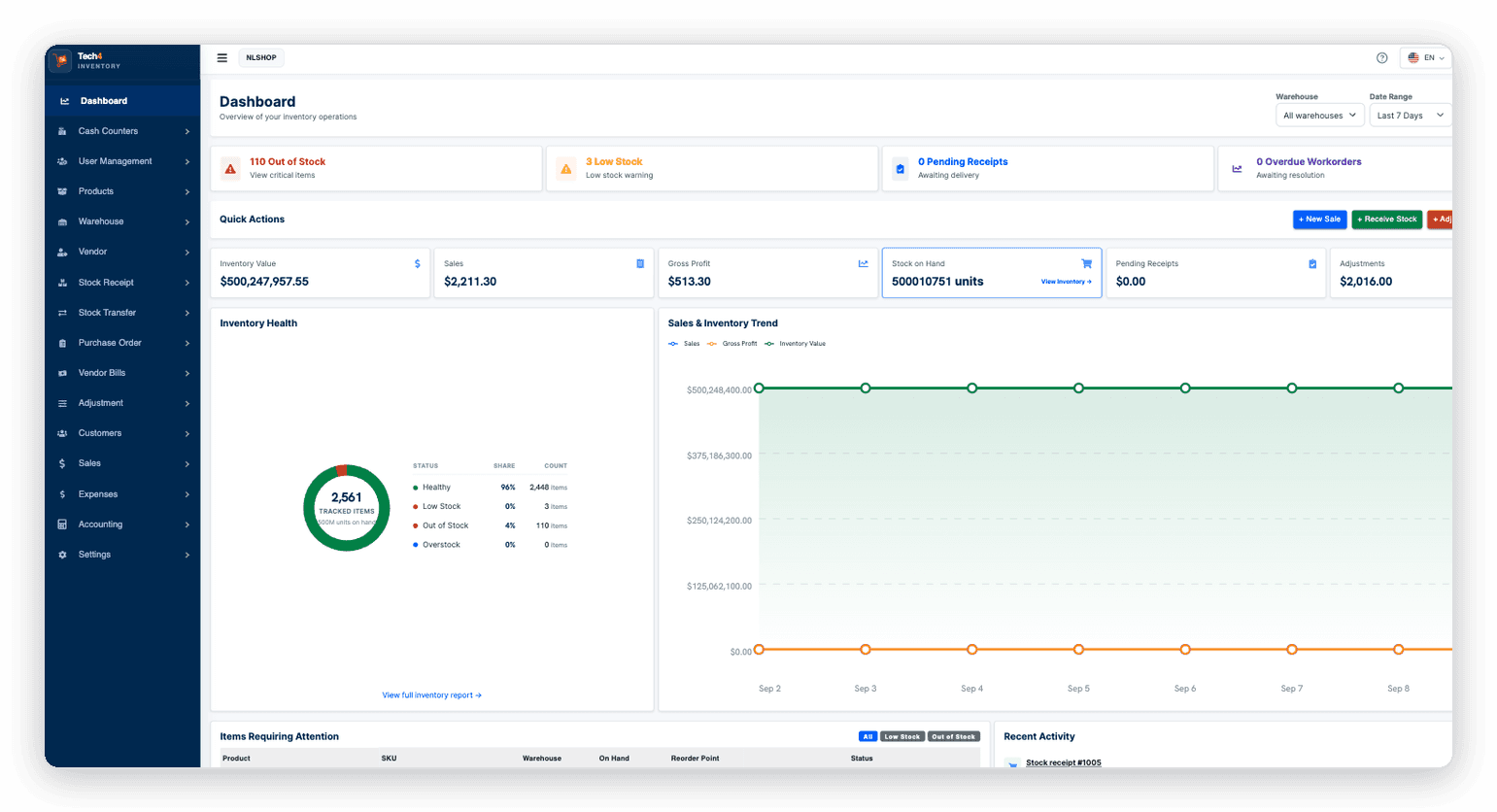
This is the T4 Inventory dashboard as it ships today: stock alerts across the top, totals for the period you choose, inventory health, and the sales and inventory trend.
Pricing
Plans below come from the T4 Inventory account system.
Loading plans…
Prices are shown in US dollars and do not include taxes. Need a different arrangement? Request a demo.
Frequently asked questions
T4 Inventory runs in a modern web browser, so you can use it on a desktop, a laptop, a tablet or a phone. There is nothing to install, and the same account opens on all of them.
No. Creating a T4 Inventory account does not ask for card details.
Yes. You can create several warehouses, and locations inside them, then track stock and transfer goods between them.
Yes. The item fields used when you receive, adjust or sell accept a scanned part number, and there is a barcode generator for items that arrive without a barcode.
Yes. A product can be simple, or it can carry variants such as colour and size, each with its own SKU. Variants are selectable when you receive, adjust, order and sell.
Yes. You can reach the team through the demo request form on this site or through the T4 contact page, and we will get back to you.
Ready to take control of your inventory?
Create an account and add your first products, or ask us for a walkthrough first.